1446 - RedApp error: "Failed to invite users"
Source: helpdesk.redstor.com Product: Redstor Imported content type: kb_article Source folder: Troubleshooting Modified: Modified on Thu, 31 Jul, 2025 at 10:21 AM
Symptom
Section titled “Symptom”On attempting to invite a new user to the RedApp, the following error is seen:

This error presents if no identity provider has been selected for the relevant company.
Solution
Section titled “Solution”Go to the relevant company profile and enable at least one of the three sign-on providers. You can select which identity providers a company can use for single sign-on by going to their company profile.
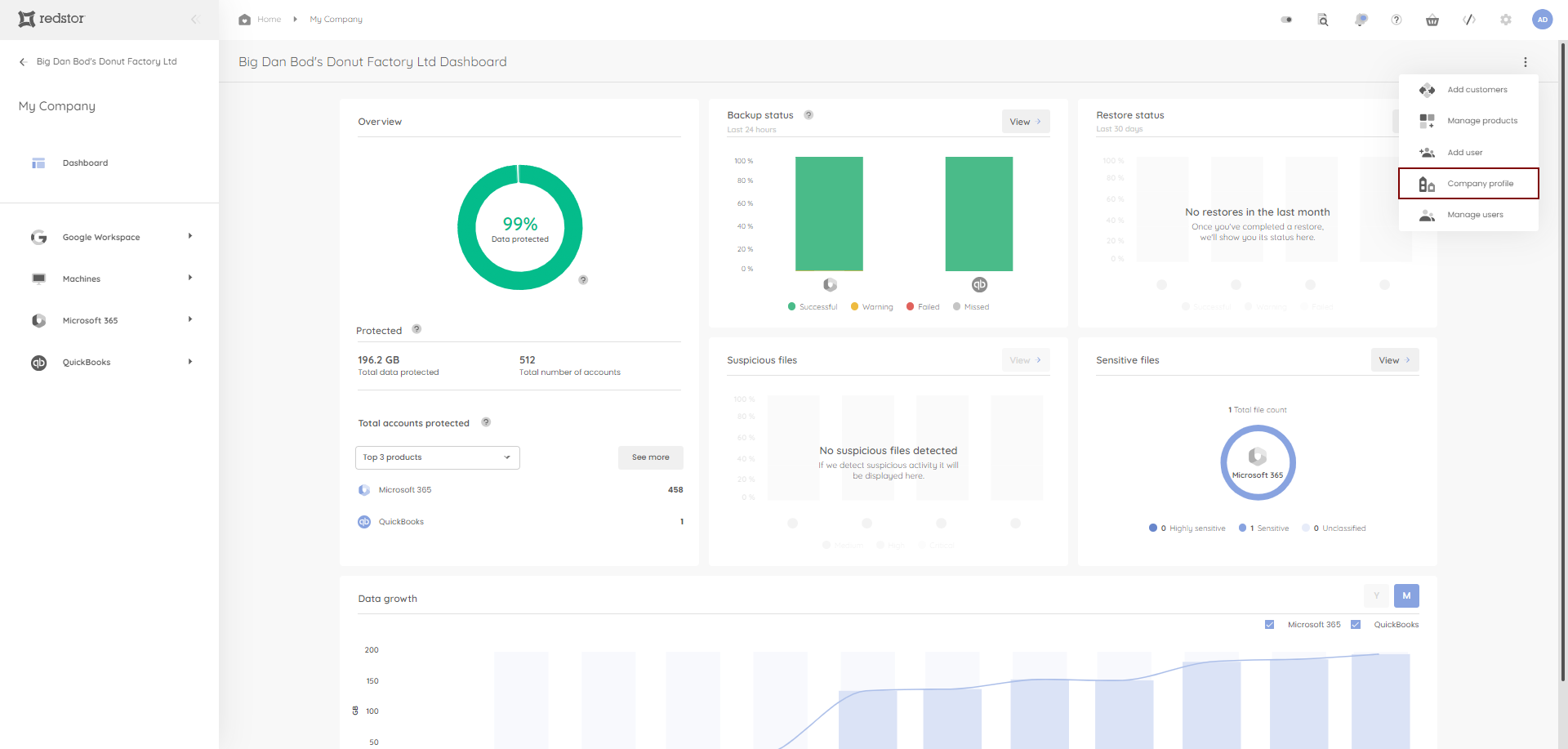
1. Locate the relevant company, expand its menu to the right and go to Company profile.
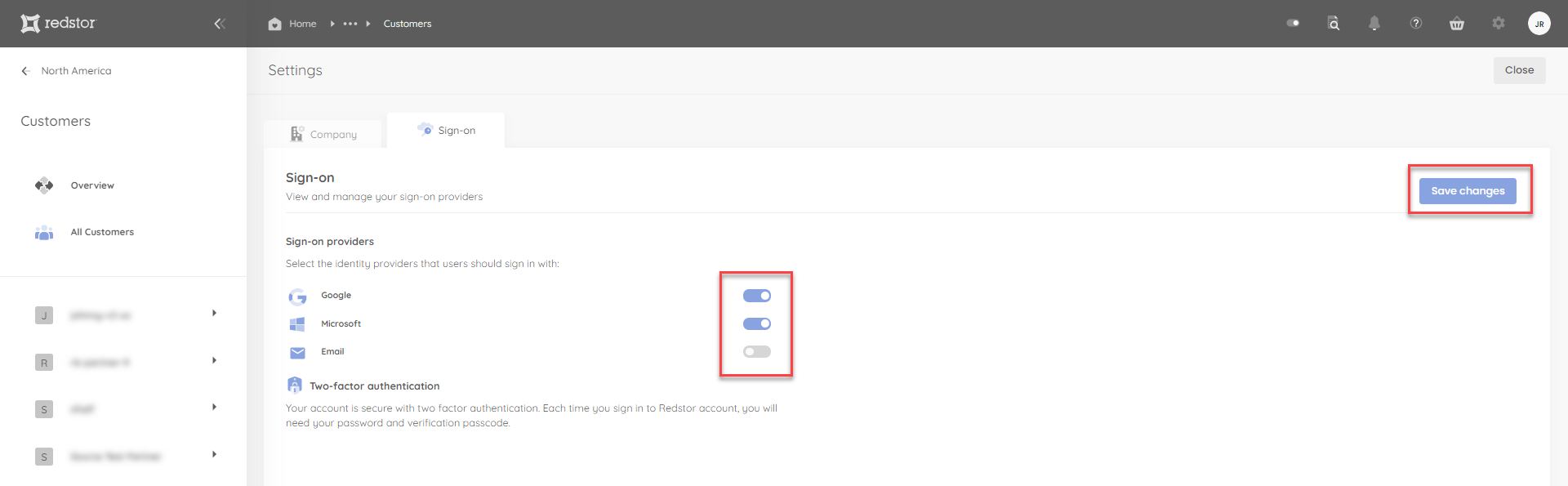
2. Go to the Sign-on tab. Enable at least one identity provider for this company to use, then click Save changes at the top right.
You can now reissue the invitation to the user.