History
Source: support.titanhq.com Product: SpamTitan Imported content type: docs_page Product stream: skellig
History
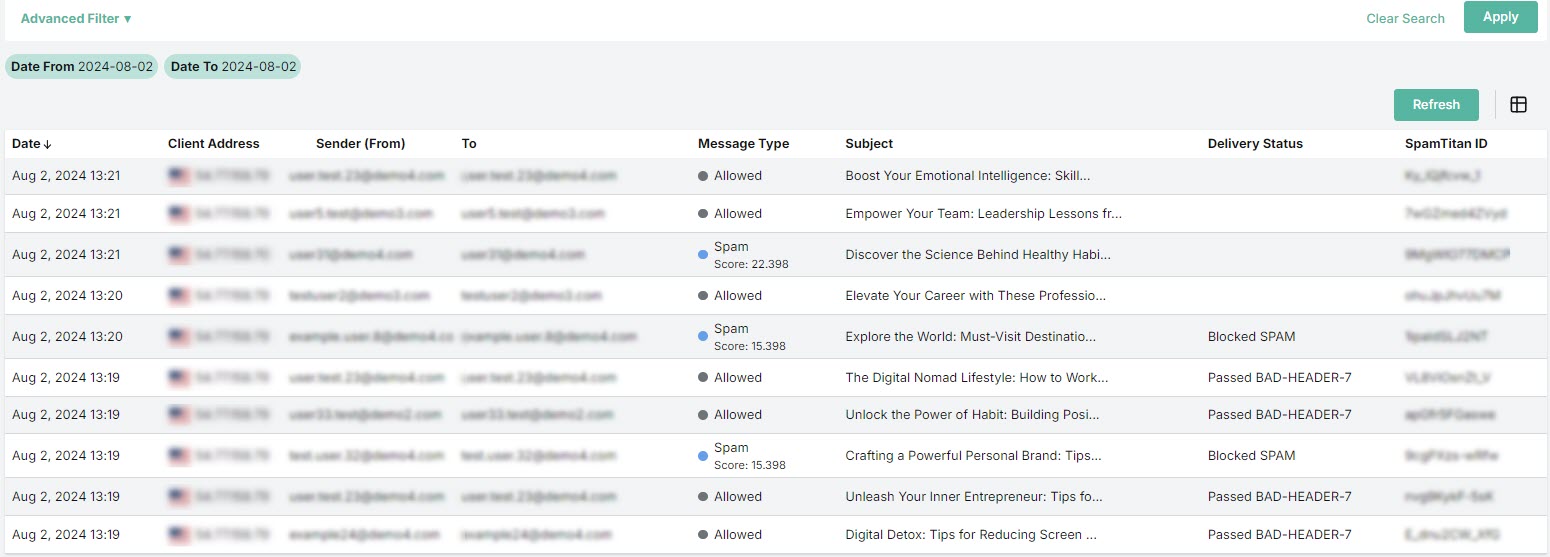
Section titled “History”Go to the History tab in the side-bar menu to view emails that have been processed by SpamTitan.
-
Select Advanced Filter to expand the advanced search options. See Searching Mail History.
-
Click the Refresh button to refresh the history list.
-
Select the column
 icon to display the history table column names. Slide each on and off to view or hide a column.
 -
Select an email from the list to view more information about it. See Managing Email History.
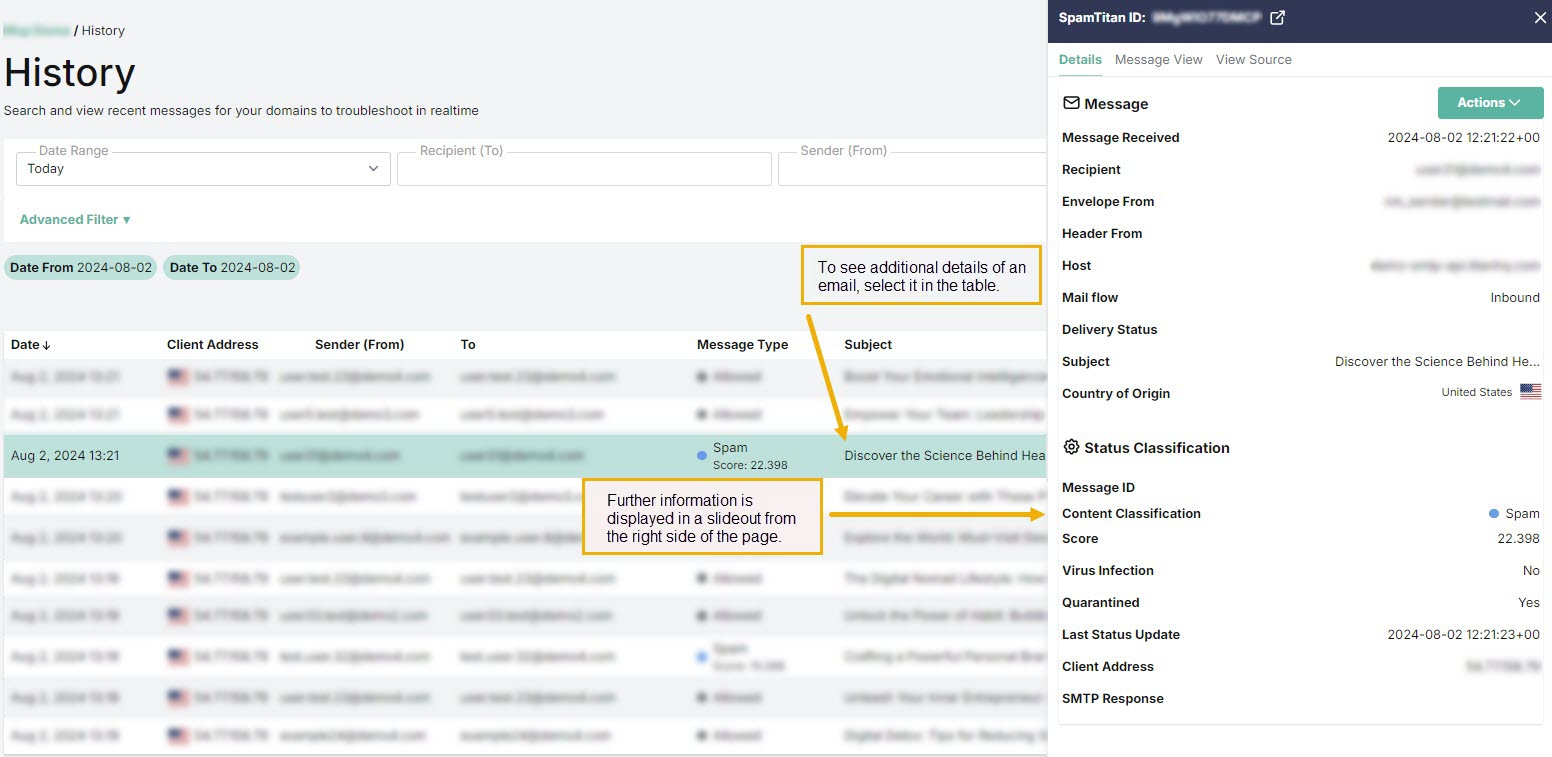
History shows the following information about each email:
-
Date: Date and time the email was received.
-
Client Address: The source IP address a mail was received from.
-
Sender (From): The sender’s address which is visible in the email header.
-
To: Recipient’s email address.
-
Message Type: The type of email, as classified by SpamTitan. For example, Clean, Virus, Banned, Spam and so on.
-
Subject: Subject header of the email.
-
Delivery Status: Indicates the delivery status of a message. This can be Sent, Deferred or Bounced.
-
SpamTitan ID: A unique internal message identification number that SpamTitan assigns to each email.