Disable M365 Outlook Report Add-in
Source: support.titanhq.com Product: SpamTitan Imported content type: docs_page Product stream: skellig
Disable M365 Outlook Report Add-in
Section titled “Disable M365 Outlook Report Add-in”Once you have installed TitanHQ for Outlook, you can disable the built-in M365 reporting tool from your Outlook client. You can do this by logging into Microsoft Exchange and configuring the User Reported Settings in the Microsoft Defender portal to use a non-Microsoft add-in.
-
Go to Defender > Settings > Email & collaboration > User reported settings. Select Use a non-Microsoft add-in button.
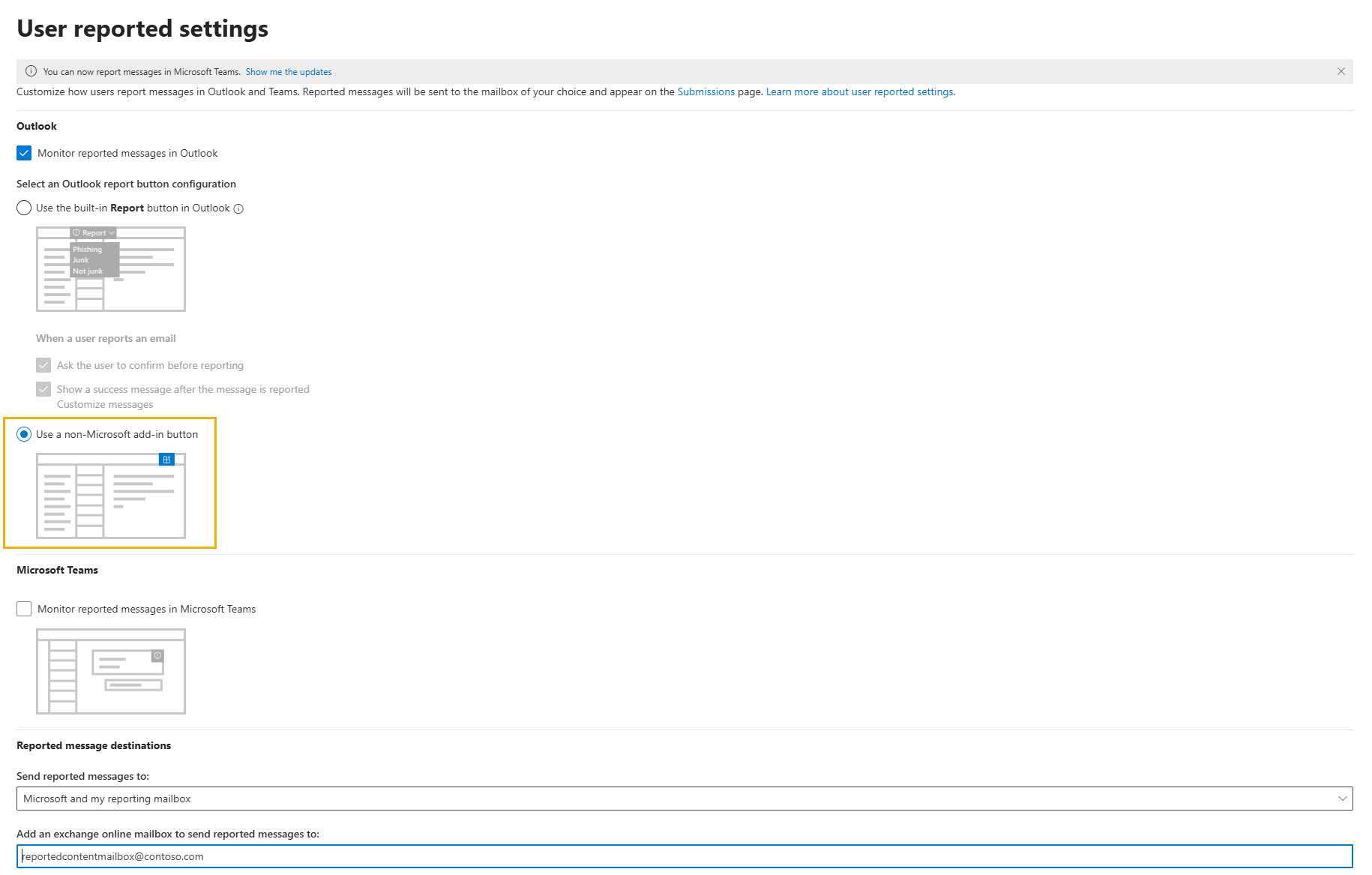
-
Select Save.