On Demand Reports
Source: support.titanhq.com Product: SpamTitan Imported content type: docs_page Product stream: skellig
On Demand Reports
Section titled “On Demand Reports”Go to Reporting > On Demand to create on demand reports. On demand reports are purged daily. If you wish to maintain a report for longer, it can be archived.
Adding an On Demand Report
Section titled “Adding an On Demand Report”Follow the steps below to create an on demand report.
-
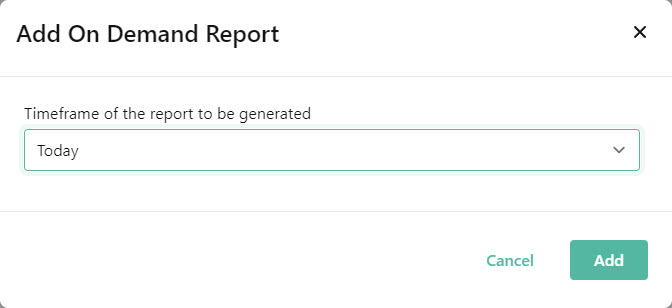
Go to Reporting > On Demand and select Add.
-
From Timeframe of the report to the be generated, select the reporting period. Select either Today, Yesterday, Last 7 Days or All.
-
Select Add.
The report will generate and appear in Reporting > On Demand when ready (this can take a few minutes).
Archiving an On Demand Report
Section titled “Archiving an On Demand Report”On demand reports are purged daily, but you can follow the steps below to archive an on demand report. This makes the report available in Reporting > Archive.
-
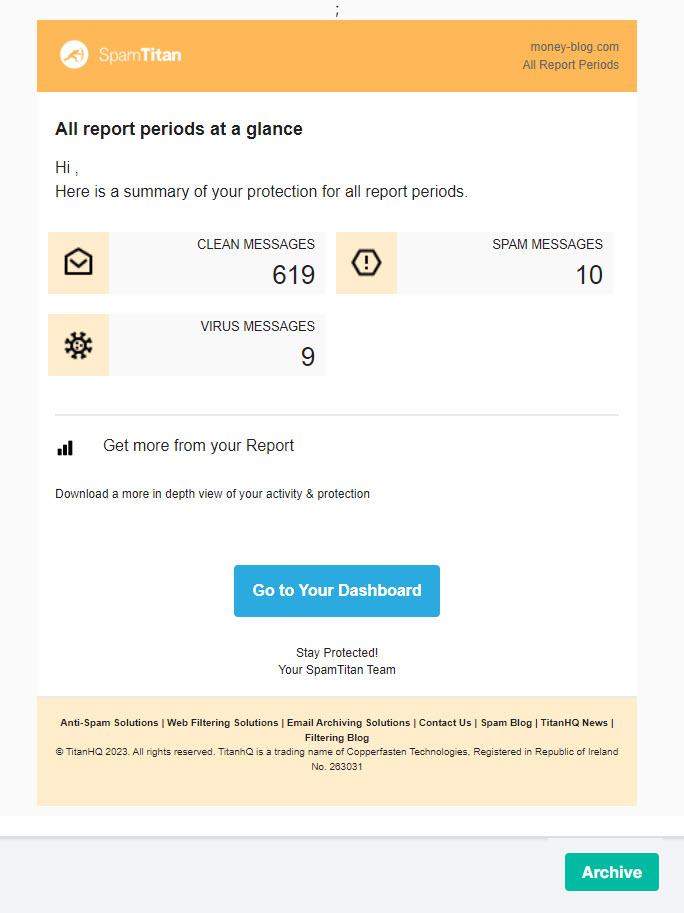
Go to Reporting > On Demand and select the on demand report you want to archive.
-
Select Archive.
-
The report is now archived in Reporting > Archive.