Notifications
Source: support.titanhq.com Product: PhishTitan Imported content type: docs_page Product stream: email-security
Notifications
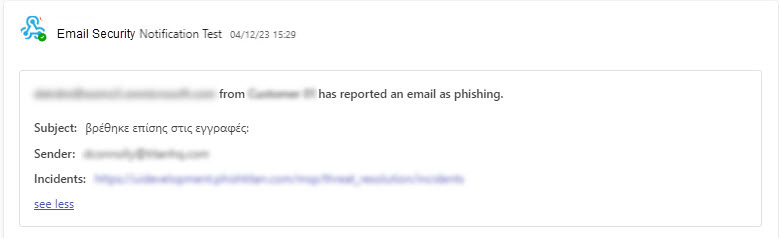
Section titled “Notifications”You can configure a webhook in Email Security to send a notification to a web application every time a user identifies an email as clean or phishing using the TitanHQ Outlook Add-in.
If you haven’t already set up a webhook in Email Security, follow the steps below:
-
Go to Microsoft Support
 for the steps to create an incoming webhook.
 -
Add the webhook to your Email Security portal, as follows:
-
Go to Notifications and enter the following:
-
Webhook Name: The name for the webhook.
-
Webhook URL: The URL of the webhook. When you created an incoming webhook in step 1, this is the URL that was generated.
-
-
Select Save.
-
Once you’ve completed these steps, your notifications will appear similar to the following: